Local AI BI vs Cloud BI: Cost, Privacy, and Performance
Break down the real costs, privacy trade-offs, and performance of local AI business intelligence versus cloud BI platforms. When does on-premise win?
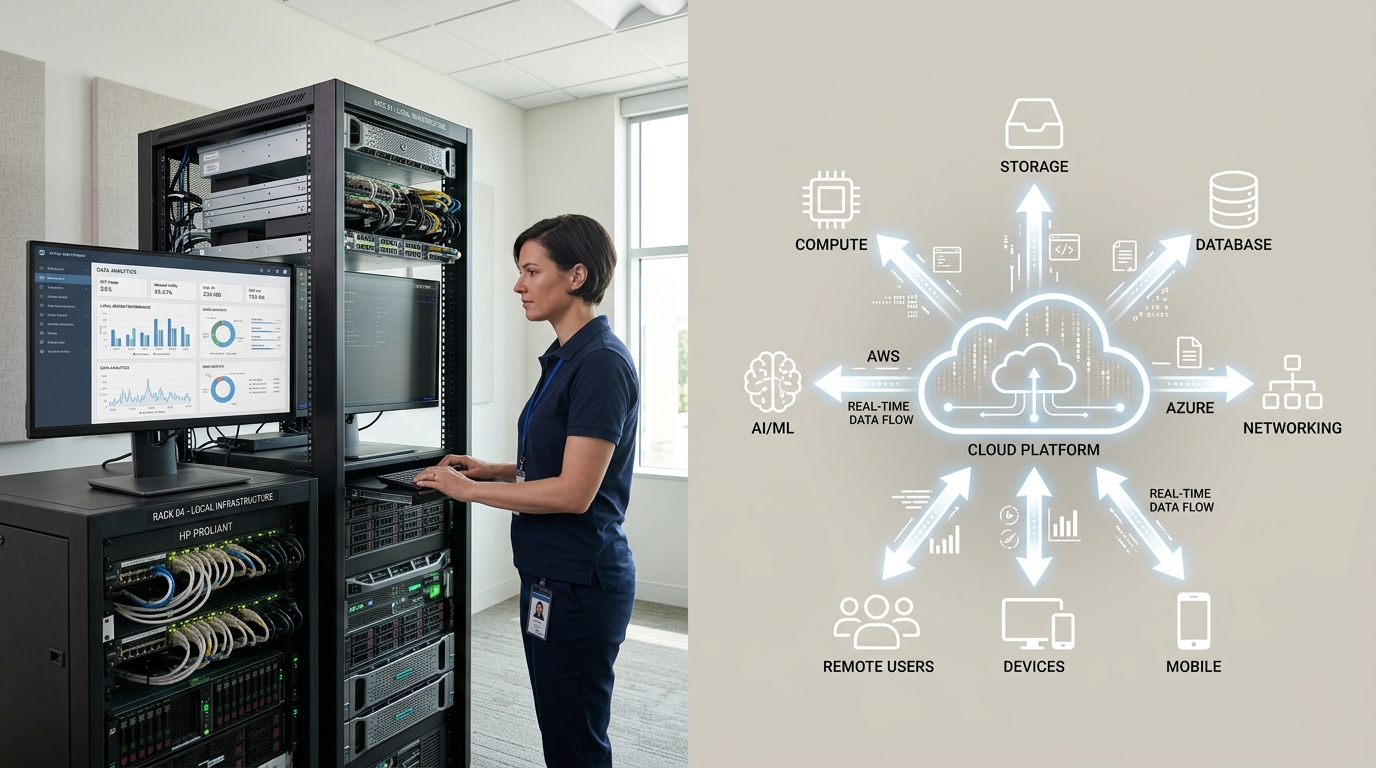
Local AI BI vs Cloud BI: Cost, Privacy, and Performance
Business intelligence software reached $47.48 billion globally in 2026, with cloud deployment holding 53.6 percent of the market. On-premise BI is now the fastest-growing segment, driven by privacy demands and total cost of ownership advantages that compound over multi-year deployments. The decision between local AI BI and cloud BI is no longer obvious.
What Is the Current State of Business Intelligence in 2026?
The global business intelligence software market hit $47.48 billion in 2026, up from $47.04 billion in 2025, according to Precedence Research's market analysis. The sector is projected to reach $168.06 billion by 2035, growing at a compound annual rate of 13.47 percent. Cloud-based deployments accounted for 53 percent of market share in 2025. The on-premise segment is now growing faster than cloud, which marks a meaningful shift.
The era of cloud-first for all AI workloads is over.
Cloud BI still dominates on share
Cloud platforms like Power BI, Qlik, Looker, and Tableau dominate enterprise analytics. They won because they offered immediate access, elastic scaling, and minimal upfront investment. Teams could spin up dashboards without procuring hardware or hiring infrastructure engineers. That convenience advantage compounds over time, which is why cloud BI reached majority market share.
On-premise is the growth leader
The on-premise segment is now the fastest-growing deployment mode. Organizations with strict data security requirements are moving analytics behind their own firewalls. Finance, healthcare, and government sectors lead this shift. Regulatory pressure and rising cloud API costs make self-hosted BI economically attractive for teams that run steady, predictable workloads.
AI is reshaping BI platforms
Modern BI tools integrate AI for natural language queries, automated insights, and predictive forecasting. The question is where that AI runs. Cloud BI platforms increasingly bundle AI features, but they come with token-based pricing that scales with usage. Local AI BI lets you run the same AI capabilities on your own hardware, with ongoing costs limited to electricity.
Total Cost of Ownership: Cloud BI vs Local AI BI
Cloud BI costs follow a predictable pattern. Power BI Pro charges $14 per user per month on annual billing. Qlik Cloud Analytics starts at $300 per month for 10 users with capacity-based pricing. Metabase Pro runs $575 per month with per-user tiers at $6 to $12 monthly. These costs are operational expenses. They never stop accruing, and they grow as you add users or data.
Local AI BI inverts this model. You pay once for hardware and infrastructure. Electricity and maintenance are the ongoing costs. Over a multi-year horizon, the economics flip.
Cloud BI cost example: 10-person team
A team of 10 users on Power BI Pro pays $1680 annually. Add premium features, custom AI models, or data gateway requirements, and that number climbs. At five years, the team has paid $8,400 to Microsoft, with no asset to show for it.
Local AI BI cost example: Same workload
A capable on-premise setup with local AI models runs on hardware you own. Depreciation and electricity are the costs. According to a Dell-commissioned Enterprise Strategy Group analysis, on-premise inference can be up to 62 percent more cost-effective than public cloud over a four-year period. A Lenovo Press 2026 TCO whitepaper shows on-premise infrastructure achieving breakeven in under four months for high-utilization workloads. Over five years, the savings per server can exceed $5 million for enterprise-grade setups.
The breakeven question
The critical variable is utilization. If your team uses BI tools steadily throughout the day, local AI infrastructure pays for itself quickly. Below roughly 4.3 hours of daily use, cloud pricing can still win on a per-server basis, according to Lenovo's 2026 TCO analysis. Above that threshold, on-premise pulls ahead. For most teams running daily dashboards, automated reports, and ongoing analytics, the threshold is well exceeded.
Privacy: Why Your Data Should Stay on Your Hardware
Cloud BI platforms process your data on their infrastructure. Power BI stores data in Microsoft Azure. Tableau loads to Salesforce servers. Looker runs on Google Cloud. Your financial records, customer behavior data, and internal metrics cross public networks and sit on third-party systems. The provider's terms of service and data handling policies govern your information.
What local AI BI gives you that cloud cannot
Your data never leaves your premises. No API calls to Anthropic, OpenAI, Google, or Meta. No Chinese AI labs with access to your datasets. The models run locally on your hardware, and your context stays on your machine. You can share almost anything with minimal risk because there is no external party that can see it.
Compliance and regulatory pressure
GDPR, HIPAA, and sector-specific regulations require data residency controls that cloud platforms struggle to guarantee. On-premise BI satisfies these requirements by design. Your infrastructure sits within your legal and physical jurisdiction. Audit trails are under your control. Data deletion is immediate and verifiable.
The real cost of a data breach
Organizations spend an average of $4.88 million per data breach, according to IBM's 2023 Cost of a Data Breach Report. Cloud BI platforms reduce your direct exposure, but they add dependency risk. When your data lives elsewhere, a breach on their side affects you. Local AI BI eliminates that entire attack surface.
Performance: Local AI BI vs Cloud BI Benchmarks
Local AI inference runs without network latency. Your queries hit the model directly, with response times determined by your hardware rather than internet speed and API queues. For dashboards that refresh in real-time or for interactive analytics sessions, the difference is noticeable.
Token throughput on local hardware
A well-configured local system generates tokens at rates determined by your GPU and model size. Speed varies by model and hardware, but the key advantage is predictability. You know exactly what you're getting because it runs on your hardware. Cloud platforms introduce variability through shared infrastructure, queue times, and API throttling.
Scaling differences
Cloud BI scales elastically. Add users or data, and the platform handles it. Local AI BI requires capacity planning. If you know your workload is steady and predictable, local wins on cost and performance. If your usage spikes unpredictably, cloud handles it better. Most BI workloads are steady. Daily reports, weekly dashboards, and ongoing analytics do not spike. They run at consistent volumes, which is exactly where local AI infrastructure shines.
When cloud still wins
Burst workloads, one-off analyses, and exploratory projects favor cloud. If you need to spin up a dashboard for a meeting and never touch it again, cloud BI is the right tool. The convenience advantage is real for low-volume, unpredictable use.
Security Architecture: Local vs Cloud Deployment
Cloud BI platforms implement security through platform controls. Encryption in transit and at rest, role-based access, and compliance certifications. You benefit from the provider's security team and infrastructure. You also inherit their vulnerabilities and configuration risks.
On-premise security is your responsibility
Local AI BI puts security in your hands. You manage network segmentation, access controls, and monitoring. This is more work. It is also more control. Your security posture matches your actual requirements, not the provider's generalized offering. For regulated industries, this granularity matters.
The zero-trust advantage of air-gapped systems
Air-gapped on-premise BI eliminates external attack vectors entirely. No internet connection means no remote exploitation. This is the strongest security posture available, and it requires local hardware.
Decision Framework: When to Choose Local AI BI
The choice between local AI BI and cloud BI depends on your workload, privacy requirements, and budget. Here is a practical framework.
Choose local AI BI when
- Your team runs steady, daily analytics workloads
- You handle sensitive or regulated data
- Your monthly cloud BI spend exceeds $500 to $700
- You need data residency guarantees
- You want predictable costs that do not scale with usage
Choose cloud BI when
- Your usage is sporadic or exploratory
- You need to spin up dashboards quickly without infrastructure
- Your team has no capacity to manage local infrastructure
- You need access to frontier models that local hardware cannot run
- Your data sensitivity allows third-party processing
Hybrid is a valid strategy
Many teams use both. Steady, sensitive workloads run locally. Burst and exploratory work stays in the cloud. This approach captures the cost and privacy advantages of local AI while keeping the flexibility of cloud platforms for edge cases.
How Zosma Helps with Local AI BI
Zosma's Cowork desktop AI workspace addresses the cost and privacy problems of cloud BI by running AI-powered analytics directly on your machine.
- Local AI models: Run open-source models on your hardware. Your data stays on your PC, and you only pay for electricity.
- Natural language queries: Ask your data questions in plain English. Cowork connects to databases, spreadsheets, and APIs without sending data to the cloud.
- Automated reports: Set up agents that generate weekly dashboards, KPI reports, and anomaly alerts on your local hardware.
Frequently Asked Questions
Is local AI BI actually cheaper than cloud BI over time?
Yes, for steady workloads. On-premise inference is up to 62 percent more cost-effective than public cloud over four years, according to a Dell-commissioned Enterprise Strategy Group analysis. Cloud BI wins for sporadic, low-volume use where hardware sits idle most of the time.
Can I run local AI BI on my existing hardware?
Capable local AI inference runs on consumer-grade hardware with a dedicated GPU. The exact requirements depend on model size and query volume. You only pay for electricity once the hardware is paid off, with no per-user or per-token fees.
Does local AI BI work with my existing data sources?
Local AI models can connect to databases, spreadsheets, CSVs, and APIs. The models run on your machine and query your data directly. No data leaves your network.
What about AI features like natural language queries?
Modern local AI models support natural language to SQL conversion, automated insights, and conversational analytics. The models run locally, so there are no token fees or data exfiltration risks.
How do I migrate from cloud BI to local AI BI?
Start by identifying your steady-state workloads. Automated reports, daily dashboards, and ongoing analytics are the first candidates. Keep exploratory and burst workloads in the cloud during the transition. A hybrid approach lets you validate local BI performance before full migration.