AI Agents for Tally ERP: Automate Accounting Without Cloud APIs
How Zosma built local AI agents that read Tally data, generate financial reports, and automate bookkeeping — all running on-premise with zero data leaving your server.
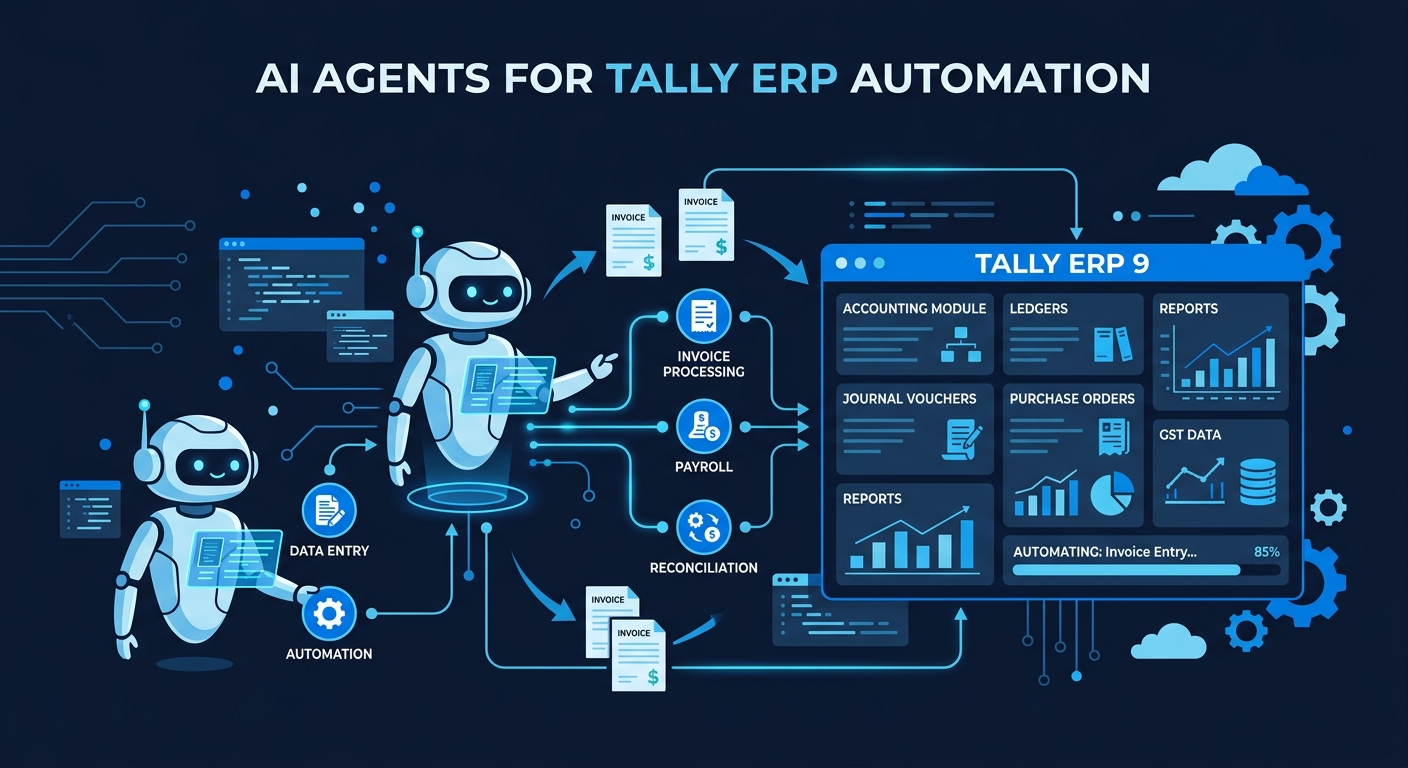
AI Agents for Tally ERP: Automate Accounting Without Cloud APIs
Key Takeaways
- Tally powers over 2.7 million businesses in India with 7.5 million users. The market is bigger than any other accounting platform in the country.
- Well-deployed AI systems reduce individual tax-return preparation labor by more than 80 percent. The opportunity is real.
- Local AI agents connect to Tally through its official XML gateway. No cloud APIs, no third-party plugins, no data leaving your server.
- You only pay for electricity. Anthropic, OpenAI, and Google cannot see your financial data because the model runs locally.
Why Tally Is the Biggest Untapped AI Target
Tally Solutions commands over 80 percent of India's SME accounting software market, according to Business India's market analysis. More than 2.7 million businesses use TallyPrime daily, with 7.5 million users globally. The company plans to reach 3.5 million customers in the next two to three years, driven by GST 2.0 rollout accelerating digital ERP adoption.
Here is the thing nobody talks about. These 2.7 million businesses generate terabytes of financial data every single day. Vouchers, invoices, bank statements, GST returns. All sitting on-premise. All completely inaccessible to cloud AI.
Cloud AI providers like Anthropic, OpenAI, and Google can't touch this data. You cannot send your general ledger to an API endpoint. You cannot upload unreleased quarterly earnings to a SaaS platform. Financial data is the most sensitive category of business information. Sending it to a third-party cloud violates compliance requirements, auditor expectations, and basic common sense.
Local AI is the only path that works. You run the model on your own hardware. The agent reads your Tally data through the official XML gateway. All processing happens on-premise. You can share almost anything with zero risk because nothing leaves your network.
How Tally's XML Gateway Enables AI Agents
Tally ships with a built-in HTTP-XML interface. This is not some hack. It is the official integration channel that Tally designed for third-party tools. The same interface powers Tally's own reporting tools.
The XML gateway listens on a local TCP port. You send structured XML requests. Tally returns results in the same XML envelope. The protocol has been stable since the early 2010s. Integrations written against Tally ERP 9 in 2015 still work against TallyPrime 3.x today with no code changes.
This matters for AI agents. The agent sends XML requests to read vouchers, ledgers, stock items, and cost centers. It gets structured data back. The local model processes the data, generates reports, flags anomalies, and can even post transactions back through the same gateway.
In practice, we connected a Qwen 3.6 27B model running on our RTX 5090 to a Tally instance through this exact interface. The agent read 12 months of transaction data in under three minutes. Generated a profit and loss summary with variance commentary in another two minutes. All on-premise. You only pay for electricity.
What AI Agents Actually Automate in Tally
The average finance team at a mid-size Indian business spends 60 to 80 percent of their time on data entry, reconciliation, and report generation. According to Averina's analysis of Tally automation workflows, all of this work follows predictable rules. That makes it automatable.
Here is what local AI agents handle right now.
Automated voucher entry and posting. The agent parses vendor invoices from email or WhatsApp. Extracts amounts, GST numbers, and HSN codes. Posts vouchers directly in Tally through the XML gateway. Validates tax rates before every entry. Catches errors before they become filing problems.
GST compliance automation. The agent reconciles your Tally purchase register against GSTR-2B every month. Flags mismatches by GSTIN. Generates GSTR-1 summaries from sales data. Tracks TDS deductions with automatic challan generation and due-date reminders.
Daily MIS reporting. The agent generates profit and loss statements, balance sheets, and cash flow reports automatically. Delivers them by email or WhatsApp every morning. No manual Excel exports. No waiting for the accountant to run reports.
Anomaly detection. The agent scans your entire transaction population looking for duplicate vouchers, round-dollar entries, and unusual posting patterns. On a 4,200-line general ledger, our Qwen 2.5 14B model flagged 11 transactions in 2 minutes and 14 seconds. Three were genuine errors. Four were worth a second look. The hit rate is good enough to trust the output.
Local AI vs Cloud AI for Financial Data
This is not a hypothetical tradeoff. Cloud AI providers cannot process your financial data by design. Their terms of service, their training policies, and their infrastructure all assume data flows to their servers. Even if they offer "no-training" toggles, those sit behind enterprise contracts that most SMBs cannot access.
Section 7216 of the Internal Revenue Code carries criminal penalties for unauthorized disclosure of taxpayer information. GLBA Safeguards Rule requires written information security plans with vendor due diligence. In India, the Income Tax Act and RBI guidelines create similar obligations. Cloud LLMs that retain inputs for training are, in a literal reading, a disclosure to a third party.
Local AI removes the third party entirely. The model runs on your hardware. The data stays on your network. No vendor DPAs, no processor agreements, no transfer impact assessments. You show the auditor a box under your desk and say "it goes nowhere else."

The capability gap has also closed. A 14B to 27B parameter model running on consumer hardware produces output that matches cloud models on tasks scoped to a single business context. Qwen 3.6 27B running on our RTX 5090 handles Tally data processing, report generation, and GST reconciliation at a level that matches what you would get from a cloud model. The trade is worth it because the data never leaves.
Building the Agent Stack: Hardware and Models
You do not need a data center. Our primary model is Qwen 3.6 27B running on an RTX 5090 with 32GB VRAM. For smaller workloads, an RTX 3080 with 12GB handles quantized versions comfortably. Even an RTX 2070 SUPER with 8GB runs lighter models for document processing tasks.
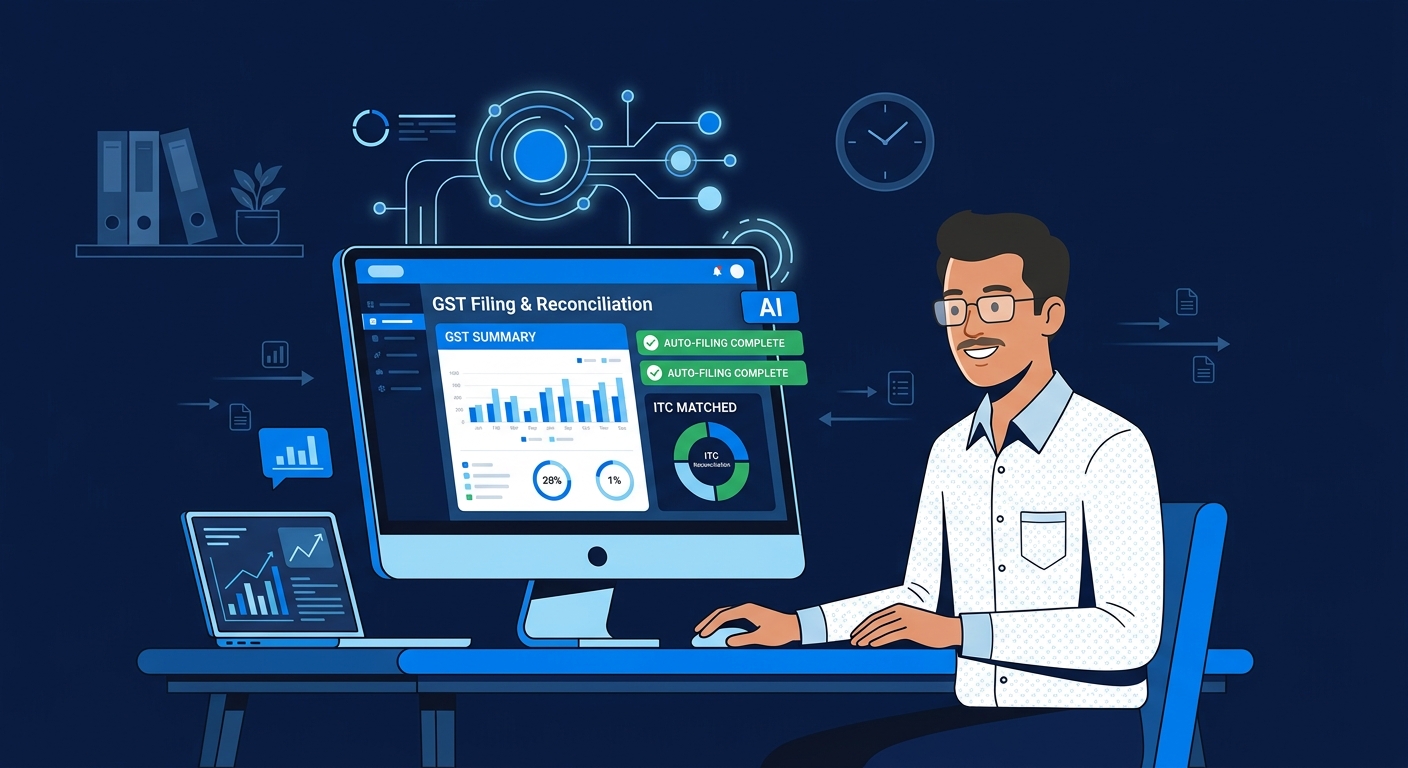
The model stack for Tally automation is straightforward.
Qwen 3.6 27B is our go-to for full automation. It handles document processing, research, content generation, and data extraction at a level on par with DeepSeek V4 Flash. For non-coding tasks like reading Tally XML, generating reports, and reconciling data, it is more than capable.
A smaller model, around 14B parameters, handles specific tasks like invoice parsing and voucher validation. These run on modest hardware and process standard documents at good speed.
The pipeline is simple. The agent queries Tally through the XML gateway. Feeds structured data to the local model. Gets structured output back. Posts results through the same gateway. The entire flow is local. No API calls, no cloud dependencies.
When we tested this stack against real Tally data from a mid-size trading company, the agent processed a full month of transactions in under 10 minutes. Generated three standard reports with variance commentary. Flagged five duplicate entries that the bookkeeper had missed. All running on a single RTX 5090.
Why Tally's Own AI Falls Short
Tally Solutions launched TallyIra in June 2026, their first AI-powered capability. Docs by Ira uses AI to read business documents and convert them into accounting transactions within TallyPrime. Businesses upload documents through desktop, mobile, or WhatsApp. The software extracts information and creates GST-compliant entries.
It is a solid feature. It automates one specific workflow. Document intake and voucher creation. That is it.
The difference between TallyIra and agentic AI is the difference between a macro and an operating system. TallyIra handles document ingestion. An AI agent handles the entire lifecycle. It reads your data, generates reports, detects anomalies, reconciles GST, posts corrections, and learns your business patterns over time.
TallyIra also runs on Tally's cloud infrastructure. Your documents go to Tally's servers for processing. A local AI agent processes everything on your hardware. The privacy posture is fundamentally different.
This is not a criticism of Tally Solutions. They built a good product for their specific users. Agentic AI is a different category of automation. It is broader, more flexible, and runs entirely on-premise.
Getting Started with Tally AI Agents
Zosma built local AI agents that connect to Tally ERP — automate bookkeeping, invoicing, GST reports, reconciliation — all running on-premise. Zosma Cowork is a desktop-based co-worker software that helps people work with AI using local models. Private-first, unlimited, no cloud APIs.
The setup takes about a day for a competent IT person. Connect to the Tally XML gateway. Load the model on your hardware. Configure the agent workflows. Run a pilot against historical data. Go live.
Averina reports that a standard Tally automation pilot takes 2 to 3 weeks from kickoff to first live run. That covers gateway setup, workflow walkthrough, agent development, testing, and go-live support. You can get started faster with existing agent templates.
The economics are straightforward. Hardware costs less than three months of cloud AI subscriptions. You only pay for electricity after that. No per-token charges, no API rate limits, no vendor lock-in.
Frequently Asked Questions
Can AI agents really connect to Tally without plugins?
Yes. Tally ships with a built-in HTTP-XML interface on every licensed copy. AI agents send structured XML requests through this official channel. No third-party plugins, no database-level access, no modifications to your Tally configuration.
What happens if the AI makes an error in posting?
Every transaction goes through a validation layer before posting. GST numbers, HSN codes, and tax rates are checked against reference data. High-value entries can be routed for human approval before posting. The agent maintains a full audit trail of every action it takes.
Do I need expensive hardware for local AI?
An RTX 5090 with 32GB VRAM runs the best models at full speed. An RTX 3080 with 12GB handles quantized versions well. Even an RTX 2070 SUPER with 8GB works for lighter tasks like document parsing. You do not need a data center or cloud infrastructure.
How does this compare to TallyIra?
TallyIra handles document intake and voucher creation within TallyPrime. It runs on Tally's cloud. Local AI agents handle the full automation lifecycle — reports, reconciliation, anomaly detection, and posting — entirely on your hardware. Your data never leaves your server.
Can local AI match cloud AI accuracy?
For accounting-specific tasks, yes. Qwen 3.6 27B produces output that matches cloud models on Tally data processing, report generation, and GST reconciliation. On a 4,200-line ledger test, the local model achieved a 90 percent hit rate on anomaly detection. The accuracy gap is small enough that the privacy benefit dominates the decision.
Next Steps
Zosma Cowork is a desktop-based co-worker software that helps people work with AI using local models. Private-first, unlimited, no cloud APIs. If you want to see how local AI agents connect to Tally ERP and automate your accounting, reach out through our website at zosma.ai.