Deploy Your First Agentic Harness in 5 Minutes
One command. One config file. One digital work twin running in a sandbox. Here's the fastest way to go from zero to a real agentic harness.

I still remember the first time I got an AI system to actually do something useful. It was 2 AM. I'd spent three weekends wrestling with LangChain configs, vector databases, and enough YAML to wallpaper a room. The demo worked. Production broke. Differently every time.
What I wanted was simple: something I could run locally, connect to my tools, and delegate tasks to without praying the result was hallucinated. Not a chatbot that guesses. A harness — a structured system that holds an AI in place, connects it to real data, and lets it take real actions safely.
That's what an agentic harness is. And that's what OpenZosma gives you in one command.
What you'll build
By the end of this tutorial, you'll have:
- A self-hosted agentic harness running on your machine
- A digital work twin — an agent that can read files, write code, run scripts, and report back
- A sandboxed execution environment where the twin's code runs isolated from your system
- An audit trail showing every tool call the harness made
Total time: about 5 minutes after Docker finishes pulling images.
Prerequisites
- Node.js 22+ —
node --version - pnpm —
npm install -g pnpm - Docker + Docker Compose
- Git
That's it. No Python environments. No vector database tuning.
Step 1: One command
pnpm create openzosmaOr npx create-openzosma.
The CLI checks your prerequisites, downloads the release, and walks you through four questions:
- LLM provider — Anthropic, OpenAI, Google, Groq, Mistral, xAI, or local via Ollama
- Database — Docker PostgreSQL is pre-configured; just hit Enter
- Auth secret — auto-generated for session encryption
- Execution mode —
localfor quick starts,orchestratorfor sandboxed production runs
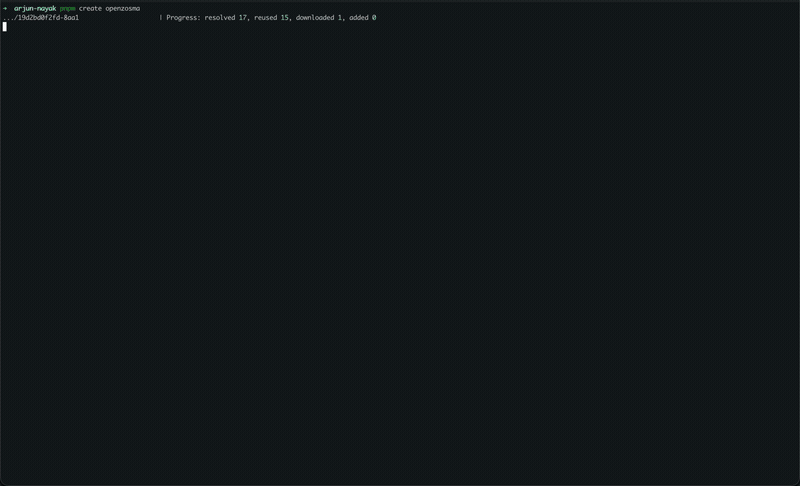
First, the CLI resolves packages and installs dependencies:
Then the wizard walks you through the choices:
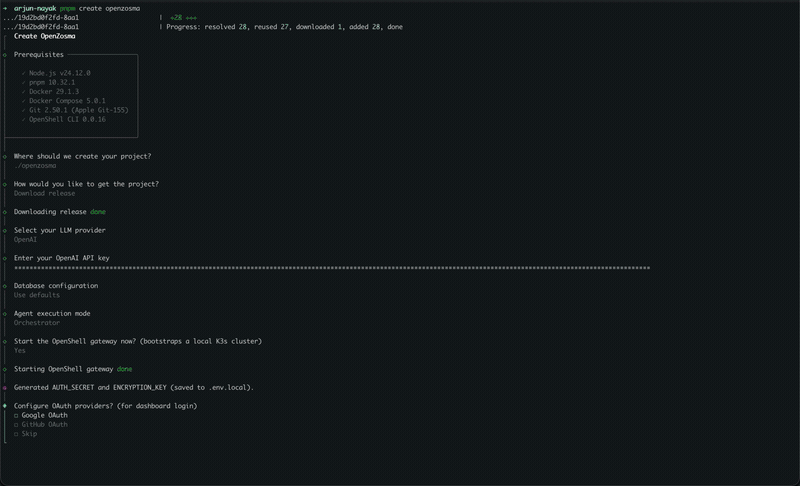
Gateway starts, auth secrets are generated, .env.local is written. When it finishes, the CLI offers to start the gateway and dashboard. Say yes.
Step 2: Sign up and meet your twin
Open http://localhost:3000. Create an account — local auth, no cloud service involved.
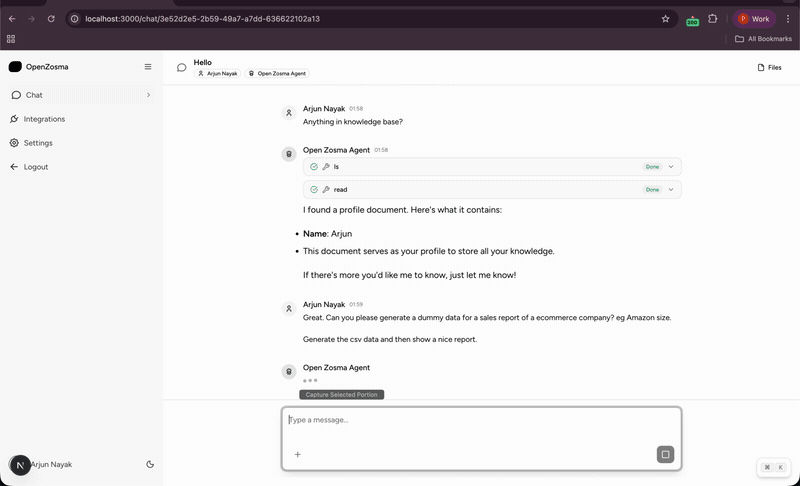
You'll land in the chat interface with a default agent called "Open Zosma Agent":
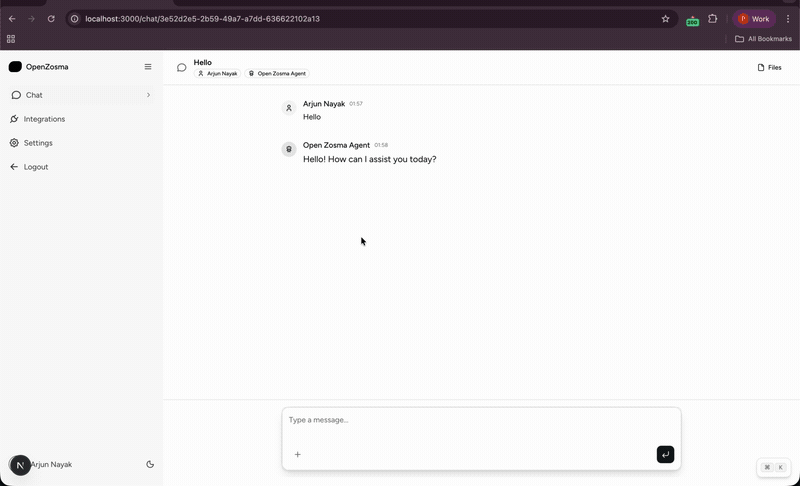
This is your first digital work twin. It has no special knowledge about your business yet, but it has something more important: tool access. It can read files, write files, run shell commands, and query databases — all inside a sandbox that can't touch your actual system.
Step 3: Delegate your first task
Try this:
Generate a CSV with sample customer data and tell me the top 3 countries by customer count.
Or, like in the demo, ask something more open-ended:
Generate dummy sales data for an e-commerce company and create a report.
The harness will:
- Reason — Break the request into steps
- Write — Create a Python script using the
writetool - Execute — Run the script via
bashinside the sandbox - Report — Return the answer with actual numbers
Here's what that looks like mid-flight. The harness explores your knowledge base first, then gets to work:
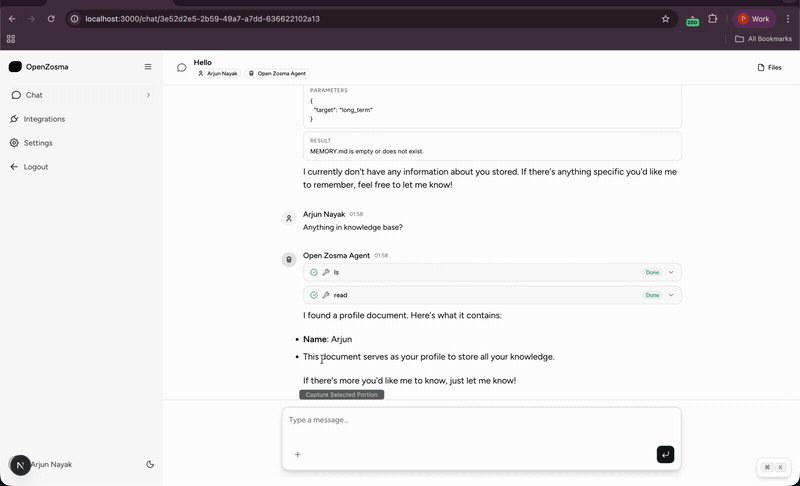
Then it writes the script, runs it, handles errors, retries, and eventually succeeds:
The final result — a categorized revenue breakdown and a saved plot:
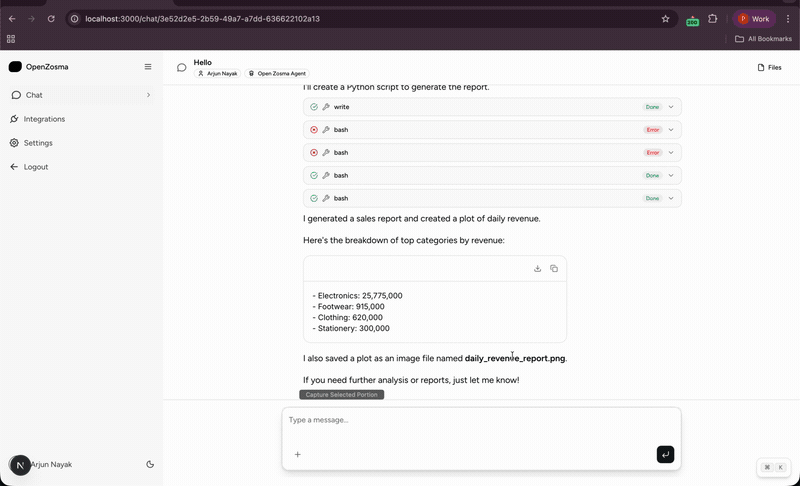
The harness didn't just describe what a sales report might look like. It wrote code, executed it, handled errors, and delivered a result. That's the difference between a chatbot and a harness.
Step 4: Check the audit trail
Click into Conversations → Details. You'll see every tool call the harness made:
- Tool name and parameters (
ls,read,write,bash) - Success or error status
- Execution time and results
This is what the "harness" part means. The AI isn't wandering free. It's strapped into a system that logs everything, retries on failure, and keeps it inside a sandbox. You know exactly what your twin did and why.
The 30-second architecture
Here's what happens when you hit Enter:
- You type a task into the dashboard
- Gateway routes it to the right agent in your harness
- Agent reasons about the task and plans tool calls
- Orchestrator spins up (or reuses) a sandbox container
- Tools execute inside the sandbox — isolated, logged, retryable
- Agent synthesizes results and replies
- Audit log stores the full trace
Your data stays on your machine. Your API key stays in .env.local. The sandbox is throwaway — every session starts clean.
What to try next
| Task | Time | What you'll learn |
|---|---|---|
| Connect a PostgreSQL database | 5 min | How the harness queries real data sources |
| Create a second agent | 10 min | Hierarchical delegation — CEO twin routes to Sales twin |
| Connect WhatsApp | 30 min | Your twin, in your pocket |
The WhatsApp step is where this becomes a real twin. An agent stuck on a laptop is just a better terminal. An agent that answers from your phone while you're between meetings is a different category of tool.
If you want to see what daily life with a twin actually looks like, I wrote about replacing my data analyst with one — the real workflow, the real math, and the real limitations.
The honest caveat
A harness is not magic. It's infrastructure. Your twin is only as good as the tools you give it and the clarity of your instructions. If your data is messy, the harness will faithfully query your messy data and return messy answers.
What OpenZosma removes is the infrastructure slog: auth, sandboxing, tool routing, retry logic, audit logging. You still need to think. You still need clean data. You still need to review the work.
But the distance between "I need a sales report" and having one is now measured in seconds, not hours.
Get the code
OpenZosma is Apache 2.0. Full source at github.com/zosmaai/openzosma. Hit an issue? Open one. Fix something? Send a PR. Build something cool? Tell us.
Run pnpm create openzosma and delegate something you actually care about.