Private AI Infrastructure: What You Actually Need to Get Started
What hardware do you need for private AI deployment? A practical guide to GPU sizing, VRAM requirements, costs, and deployment strategies for on-premise AI in 2026.
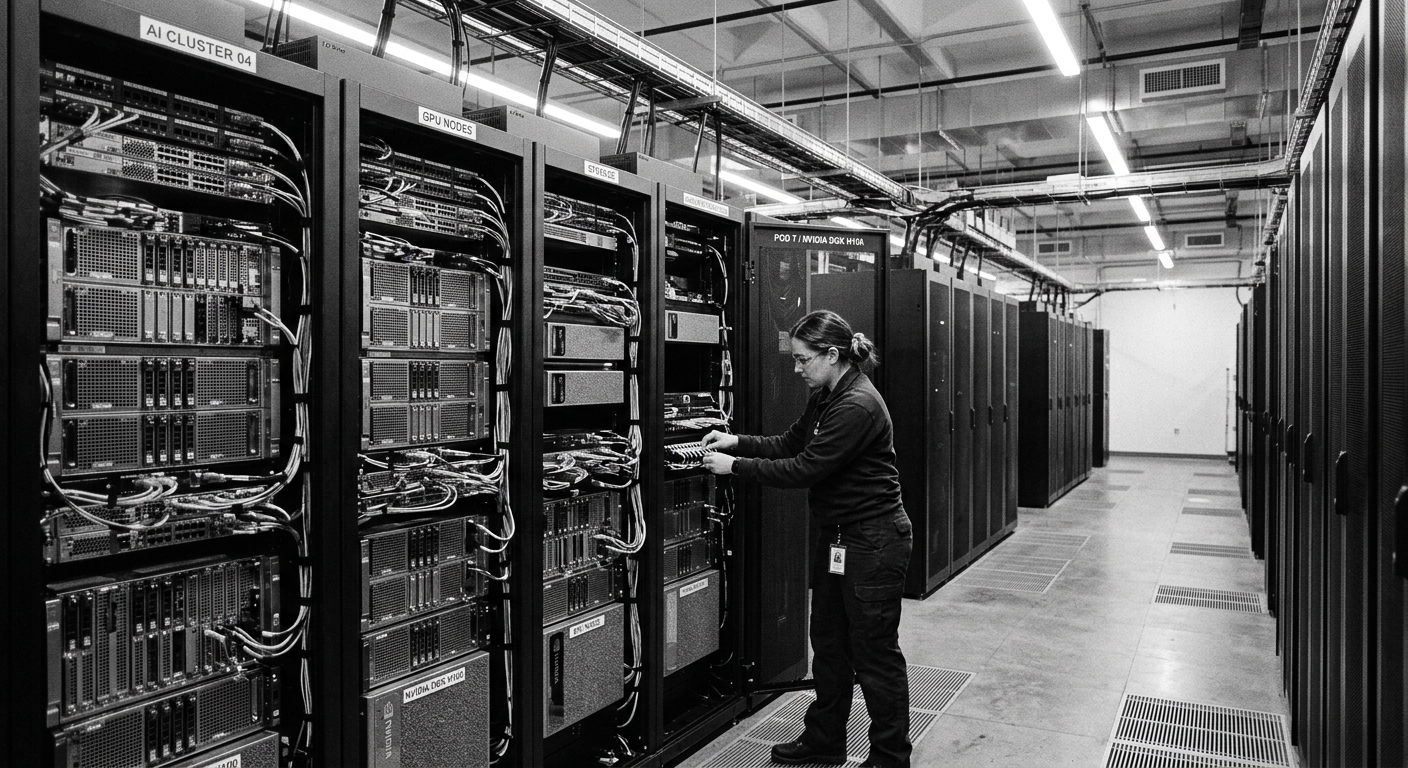
Private AI Infrastructure: What You Actually Need to Get Started
Key Takeaways
- By 2026, roughly 71% of AI infrastructure runs outside public clouds, driven by data privacy mandates and cost pressures
- A 70B model needs about 42 GB of VRAM at 4-bit quantization — a single high-end GPU can handle it
- On-premise AI becomes cost-effective at 5+ regular users or when data residency is mandatory
- Indian enterprises face unique pressures from the DPDP Act, IndiaAI Mission funding, and sectoral regulator requirements
- Start with a pilot cluster of 4 to 8 GPUs, then scale based on proven utilization
The cloud AI experiment ran its course. Teams got excited, piloted tools, hit compliance walls, and realized their customer data was living on someone else's servers. Now the question is practical: what does it actually take to bring AI inside your walls?
The answer depends on your workload, but the core math is straightforward. You need GPU memory for the model, system RAM for the pipeline, and a serving stack to handle requests. Everything else — cooling, networking, orchestration — scales with how serious you are.
Why Private AI Is No Longer Optional for Many
The shift from public to private AI is not theoretical anymore. By 2025, approximately 71% of AI infrastructure was running outside public clouds, according to enterprise deployment analysis cited by ITernal. This is not a trend. It is a structural shift driven by three forces.
Compliance is no longer optional
The Digital Personal Data Protection Act is in force in India. Data fiduciaries have concrete obligations about where personal data is stored and processed. For BFSI, insurance, healthcare, and government workloads, sectoral regulators like the RBI and IRDAI have moved from guidance to enforcement. The question "where does that inference happen?" is a legal requirement, not an architectural preference.
Economics favor on-premise at scale
Running AI models on cloud APIs looks cheap until you multiply by volume. At sustained utilization above 40%, on-premise inference runs 8 to 18 times cheaper per token than cloud APIs, according to ITernal's 2026 deployment guide. The break-even point is roughly 11 billion tokens per month, but most organizations never reach that volume — they reach compliance requirements instead.
The cloud premium is real
Hyperscalers charge 2.5 to 4 times more than Indian sovereign cloud providers for the same GPU hardware, based on May-June 2026 pricing analysis from CORAA. That premium covers capital cost, margin, and currency conversion. Build your own infrastructure and you capture that margin.
GPU Memory: The Core Constraint
GPU memory, or VRAM, is what determines whether your model runs at all. Get this wrong and requests fail. Get it right and the rest follows. The math is simple.
VRAM requirements by model size
Model memory scales with parameter count and precision. Here is the practical breakdown:
A 7 to 8 billion parameter model needs about 6 GB at 4-bit quantization, or 10 GB at 8-bit. Any modern GPU with 24 GB or more handles this comfortably. Good for chat, summarization, and retrieval-augmented generation over internal documents.
A 32 to 34 billion parameter model needs roughly 22 GB at 4-bit or 38 GB at 8-bit. You need a 48 GB or 80 GB GPU. This is the sweet spot for strong reasoning tasks and autonomous agents.
A 70 billion parameter model requires approximately 42 GB at 4-bit or 80 GB at 8-bit. A single 80 GB datacenter GPU handles the quantized version. The full-precision version needs two 80 GB GPUs at minimum.
These numbers come from production deployment data documented by eRacks Systems and verified against real serving stacks.
Quantization is your leverage
The precision ladder runs from full 16-bit precision down to 4-bit. Each step roughly halves memory. For most enterprise tasks, 4-bit quantization loses near-zero quality — you get about 85% of full-precision quality at 25% of the memory cost. This makes smaller hardware viable for real workloads.
When we tested different quantization levels on production workloads, the difference between 4-bit and 8-bit was barely noticeable on summarization and classification tasks. The speed improvement from lower precision compounds — less memory means higher throughput.
Beyond VRAM: System Architecture
GPU memory holds the model. But a working AI server needs more than just a GPU in a box. Two other components shape real performance.
System RAM matters more than you think
The server needs conventional RAM to stage models into GPUs, run the serving stack, and handle your data pipeline. A good rule is sizing system RAM at 1.5 to 2 times your total VRAM. If you run a model entirely on the CPU with no GPU, the whole model lives in system RAM, so a 70 billion parameter model at 4-bit quantization needs about 48 GB of RAM by itself.
CPU and PCIe bandwidth
The processor feeds GPUs through PCIe lanes. A multi-GPU server needs enough lanes to keep every card at full bandwidth. This is why server-class processors with dozens of PCIe lanes outperform desktop chips in multi-GPU setups. The CPU also runs the model server, schedules concurrent requests, and does embedding and retrieval work.
Infrastructure Tiers: Right-Size for Your Workload
Not every organization needs a 256-GPU cluster. Most deployments fall into one of three tiers.
Tier 1 — Edge inference
One to four GPUs for branch offices, factory floor analytics, or IoT workloads. Power draw of 300 to 800 watts. Standard air conditioning works fine. These deployments cost roughly ₹8 to 25 lakh per node and serve localized inference needs.
Tier 2 — Departmental AI
8 to 16 GPUs for team-level model serving, document processing, and fine-tuning. Power draw of 10 to 25 kW. Requires precision air conditioning or in-row cooling. Occupies 1 to 2 racks. Budget range of ₹3 to 8 crore. This is where most mid-market enterprises land.
Tier 3 — Enterprise cluster
32 to 256 GPUs for production model serving at scale, multi-model deployments, and full MLOps pipelines. Requires liquid cooling or rear-door heat exchangers. Needs 50 to 200 square meters of floor space. Total investment of ₹25 to 100 crore. This is for organizations running AI as a core business capability.
These tiers come from RDP's 2026 CIO playbook for building AI infrastructure in India. The key insight: 85% of Indian enterprise deployments are inference plus fine-tuning. Very few need the full training infrastructure.
Networking and Storage
The infrastructure layers beyond compute determine whether your system actually works in production.
East-west networking
Multi-GPU inference needs low-latency communication between cards. Within a single server, NVLink delivers bandwidth far exceeding PCIe. Across servers, you need either InfiniBand or properly tuned RoCEv2 Ethernet. Meta's research shows that a properly configured RoCEv2 fabric delivers equivalent performance to InfiniBand for most workloads, at significantly lower cost — roughly ₹6 lakh savings over three years on a 32-GPU cluster.
Storage architecture
Private AI storage serves three distinct workloads. Local NVMe drives on compute nodes handle hot data like model weights and active caching. A parallel file system handles shared datasets across nodes. Object storage handles the broader training corpus and checkpoints. A 70 billion parameter model checkpoint at 16-bit precision occupies roughly 140 GB. Multi-node jobs save checkpoints every few hundred steps, so plan for 10 to 20 TB of fast storage per active job.
Cost Analysis: When Does On-Premise Make Sense?
The economics depend on your scale and constraints. Here is the honest breakdown.
Self-hosting versus cloud APIs
For a typical Indian firm with 10 users, self-hosting a private AI cluster costs ₹2 to 3 lakh per month, according to CORAA's 2026 pricing analysis. ChatGPT Business for the same team costs about ₹17,000 per month. Self-hosting is roughly 9 to 11 times more expensive for small teams.
The break-even shifts at scale. For 30 or more users with sustained utilization, or when compliance mandates data residency, self-hosting becomes cost-neutral or cheaper over a 3-year horizon. The math favors owned infrastructure once annual cloud fees exceed hardware amortization.
The hybrid approach
Most organizations in 2026 use a hybrid model. Public AI tools for non-confidential work, vendor-provided India-hosted AI for regulated workloads, and self-hosted infrastructure for the highest-sensitivity tasks. This covers the full need at 10 to 20% of pure self-hosted cost, according to CORAA's analysis.
Deployment Phasing: Start Small, Scale Proven
Building AI infrastructure is not a single decision. It is a phased investment.
Phase 1 — Pilot (Months 0 to 3)
Stand up a small cluster of 4 to 8 GPUs, air-cooled, in a single rack. Prove the workload, validate the software stack, build internal skills, and capture baseline metrics. Capital expenditure in the ₹60 lakh to ₹1.2 crore range.
Phase 2 — Production departmental (Months 3 to 9)
Scale to 16 to 32 GPUs. Introduce advanced cooling if needed. Promote pilot workloads to production and start migrating the heaviest cloud inference workloads on-premise. Cumulative capital expenditure of ₹2 to 4 crore.
Phase 3 — Rack-scale (Months 9 to 24)
Multi-rack deployment with liquid cooling, parallel file systems, and proper fabric networking. This is the transition from "we have GPUs" to "we operate an AI platform." Only proceed if utilization and roadmap justify the investment. Total investment of ₹6 to 15 crore or more.
This phasing approach comes from RDP's deployment playbook. The principle: size for your 75th percentile workload, not your peak. Cloud burst exists for the peak.
Getting Started: Private AI on Your Desktop
Most teams don't need to deploy a ₹crore cluster to benefit from private AI. The bridge between understanding the infrastructure requirements and actually getting started is often simpler than you think.
Cowork brings private AI to your desktop — no GPU servers, no DevOps team, no cloud dependencies required. Your data stays on your machine, and you only pay for electricity.
- Start without infrastructure: Run local AI models on your existing hardware. Perfect for evaluating private AI benefits before committing to enterprise deployment.
- Eliminate per-token costs: Stop sending data to cloud APIs for routine tasks like document analysis, research summarization, and workflow automation.
- Scale when ready: Use Cowork to validate local AI in your organization, then decide on infrastructure based on real usage patterns.
Cowork — private AI on your desktop
Frequently Asked Questions
What GPU do I need to run a 70B model privately?
At 4-bit quantization, a single GPU with 48 GB of VRAM handles a 70B model. At 8-bit precision, you need 80 GB of VRAM. For full 16-bit precision, you need two 80 GB GPUs minimum. A single 141 GB GPU like the H200 can run a 70B model at full precision, but quantization makes smaller hardware viable for most tasks.
How much does private AI infrastructure cost?
A single GPU server for small-scale inference starts at ₹8 lakh. A departmental cluster of 8 to 16 GPUs runs ₹3 to 8 crore. A full enterprise cluster of 32 to 256 GPUs costs ₹25 to 100 crore. For most organizations, renting GPU capacity on sovereign cloud (₹1.5 to 1.8 lakh per month per high-end GPU) is more cost-effective than buying hardware outright.
When does on-premise AI become cheaper than cloud APIs?
At 5 or more regular users with sustained utilization, or when compliance mandates data residency, on-premise becomes cost-competitive within a 2 to 3 year horizon. For small teams under 10 users, cloud APIs remain cheaper. The break-even depends on your monthly token volume, with self-hosting winning at roughly 11 billion tokens per month for a single GPU.
Can I run private AI without dedicated GPU hardware?
Yes. CPU-based inference using Intel AMX acceleration runs models entirely on standard Xeon processors. Performance is lower than GPU inference, but for low-concurrency workloads and smaller models, it eliminates GPU procurement entirely. This path makes sense for teams with constrained budgets or existing server fleets.
Do I need liquid cooling for AI infrastructure?
Not for most deployments. Air cooling works up to about 30 kW per rack. Rear-door heat exchangers bridge to 45 to 55 kW per rack. Direct liquid cooling is required only for the densest GPU configurations at 70 to 120+ kW per rack. Most departmental deployments handle air or rear-door cooling without facility modifications.