How Zosma Cowork Frees Knowledge Workers From Routine Tasks
60% of the knowledge worker's day goes to busywork. Zosma Cowork handles status updates, report drafting, and email triage automatically on your own machine.
How Zosma Cowork Frees Knowledge Workers From Routine Tasks
Key Takeaways
- Knowledge workers spend 60% of their workweek on status updates, meetings, and email instead of skilled work
- AI automation tools save an average of 3.6 hours per week on routine tasks
- Zosma Cowork runs locally on your machine, so your data never touches cloud servers
The Hidden Tax on Knowledge Workers
Knowledge workers lose roughly 60% of their workweek to "work about work" — status updates, meetings, and email (Asana, 2021). That is about 30 hours of a 50-hour week spent on coordination instead of actual skilled work. The average worker gets only 2 hours and 48 minutes of genuinely productive time per day (RescueTime, 2019).
In practice, the problem is simple: most of the workday gets eaten by tasks nobody enjoys but everyone has to do.
Where the time actually goes
- 28% of the workweek is spent on email alone (Microsoft Work Trend Index, 2023)
- 1,200 app switches per day, costing nearly 4 hours weekly just reorienting after each switch (HBR, 2022)
- 103 hours per year in unnecessary meetings, 209 hours on duplicative work (Asana, 2026)

The real cost
An interruption hits roughly every 2 minutes (Microsoft, 2025). After each one, it takes 23 minutes and 15 seconds to refocus (Gloria Mark, UC Irvine). That is 2.1 hours of lost productivity daily just from recovery time.
What Knowledge Workers Actually Need
Most knowledge work is not creative strategy. It is drafting status reports, summarizing meetings, triaging email, and chasing task updates. These tasks are repetitive, rule-based, and take up the bulk of the week.
The admin burden by role
- Project managers spend 60%+ of their time on status chasing
- QA engineers waste hours recreating test reports
- Marketing teams drown in content drafting and scheduling
- Sales reps lose time on follow-up emails and pipeline reviews
- HR professionals handle onboarding checklists manually
The common thread: these roles spend most of their time on routine execution rather than the skilled work they were hired to do.
Why automation helps
Workflow management tools save employees an average of 498 hours per year — over 12 weeks of productive time (Asana, 2026). Among automation users, 73% report improved work quality and 79% report improved productivity.
What Zosma Cowork Actually Does
Zosma Cowork is a free desktop AI assistant that runs entirely on your own machine. You describe the outcome you want, and it executes the work end-to-end.
How it works
- You give a plain-English instruction like "Draft a weekly status report from my notes"
- Cowork reads your files, drafts the report, and returns a finished artifact
- You review, approve, and send — the model runs locally, your data never leaves your PC
The key difference from cloud AI assistants is privacy. Anthropic, OpenAI, Google, and other cloud providers can technically see your prompts and data. With Cowork, your context stays on your machine. You can share almost anything with zero risk.
Cost model
You only pay for electricity to run the local model. No token billing, no subscription tiers that scale with usage. A 27B parameter model on mid-range hardware handles most knowledge work tasks without any external API costs.
Cowork for Project Management
Project managers spend their days chasing updates from team members, compiling status reports, and updating tracking sheets. Cowork automates this cycle.
Automating status reports
Point Cowork at your project notes or chat logs. It extracts who is working on what, what is blocked, and what is done — then drafts a clean status update you can send to stakeholders.
Task tracking without the noise
Instead of manually updating spreadsheets or Jira tickets, describe what changed and Cowork formats it into a structured summary. You get the same visibility without the busywork.
The time saved
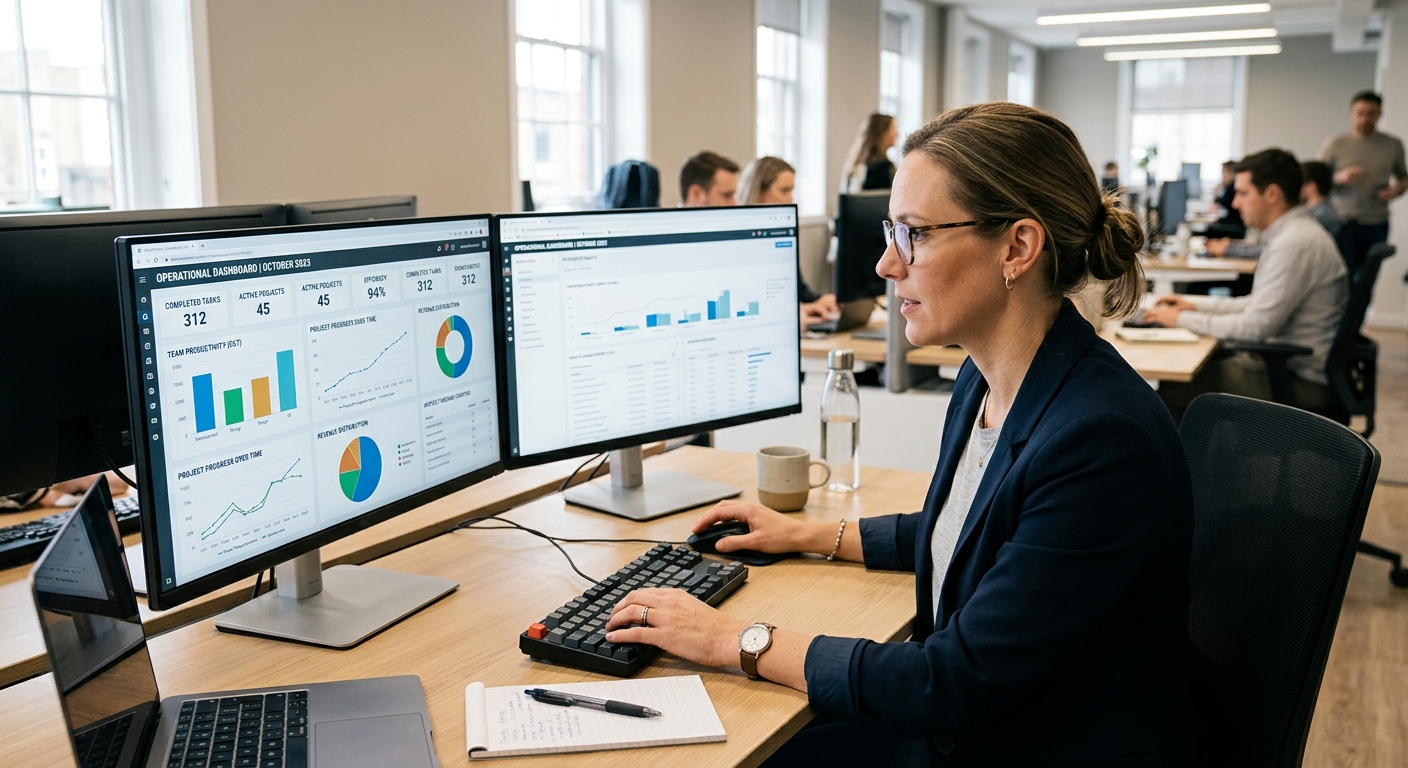
A typical project manager spends 3-4 hours daily on status tracking. Cowork compresses that to minutes of review and approval.
Cowork for QA and Development Teams
QA engineers and developers spend significant time writing test reports, documenting bugs, and summarizing code reviews.
Automated test reporting
Feed Cowork your raw test logs. It generates a structured report with pass/fail summaries, error details, and recommendations — formatted for your team's review.
Bug documentation
Describe a bug in plain English. Cowork drafts a properly formatted bug report with steps to reproduce, expected vs actual behavior, and severity classification.
Code review summaries
Point Cowork at a PR diff and it produces a concise review summary: what changed, potential issues, and suggestions. No need to read through hundreds of lines yourself.
Cowork for Marketing Teams
Marketing professionals spend hours drafting social posts, blog outlines, campaign briefs, and competitor analyses.
Content drafting
Give Cowork a topic and brand guidelines. It generates first drafts of social posts, email newsletters, or campaign copy that match your tone. You edit and publish.
Campaign planning
Describe a campaign goal. Cowork produces a structured brief with target audience, key messages, channel recommendations, and a timeline.
Competitive intelligence
Point Cowork at competitor websites or reports. It extracts positioning, pricing, and feature comparisons into a clean summary.
Cowork for Sales Teams
Sales reps lose enormous time on follow-up emails, pipeline reviews, and lead qualification summaries.
Follow-up automation
Describe a prospect interaction. Cowork drafts a personalized follow-up email referencing specific discussion points. You review and send.
Pipeline reviews
Point Cowork at your CRM notes. It generates a ranked list of opportunities by stage, risk level, and recommended next steps.
Lead qualification
Feed Cowork raw lead data. It scores leads based on criteria you define and summarizes which ones need immediate attention.
Cowork for HR and People Operations
HR professionals spend significant time on onboarding checklists, policy drafting, and employee communications.
Onboarding automation
Describe a new hire's role. Cowork generates a tailored onboarding checklist with tasks, timelines, and responsible owners.
Policy and communication drafting
Give Cowork a policy topic. It drafts clean, readable policy documents and internal communications that you can review and distribute.
Employee summaries
Point Cowork at performance notes. It generates structured summaries for review cycles.
How Zosma Helps Knowledge Workers
Zosma's Cowork addresses the 60% busywork problem by automating routine tasks that eat up most of the knowledge worker's week.
- Status reports: Auto-draft from your notes and chat logs
- Email triage: Summarize inboxes and draft replies
- Document generation: Create reports, briefs, and presentations from raw inputs
- Local execution: Runs on your PC — no data leaves your machine
Why local matters
Cloud AI assistants send your data to Anthropic, OpenAI, or Google servers. Cowork runs models on your own hardware. You can share almost anything with zero risk because the model never touches the internet.
You only pay for electricity
No token billing. No subscription tiers. A 27B model on your machine handles most knowledge work tasks. The only ongoing cost is the electricity to run it.
Frequently Asked Questions
What kinds of tasks can Zosma Cowork handle?
Cowork automates status reports, email drafting, document generation, meeting summaries, test reports, and campaign briefs — any repetitive knowledge work that follows a predictable pattern.
Is my data safe with Cowork?
Yes. Cowork runs entirely on your local machine. Your data never leaves your PC, unlike cloud assistants that send prompts to external servers.
What hardware do I need?
Mid-range consumer hardware is sufficient for a 27B model. The exact requirements depend on your specific use case.
How much time can I save?
Knowledge workers report saving 3.6 hours per week on average with automation tools. Cowork targets the 60% busywork that dominates the knowledge worker's week.
Can I use Cowork with my existing tools?
Cowork works with files and text on your machine. It reads your documents, chat logs, and notes to generate finished artifacts you can use directly in your existing workflows.
Start Automating Your Busywork
The average knowledge worker wastes over 30 hours a week on coordination instead of skilled work. Zosma Cowork runs locally on your machine, drafts your status reports, triages your email, and generates documents — all without your data ever leaving your PC.